
Online shopping is ridiculously convenient. You can compare prices, read reviews, and check out without ever leaving the couch. But behind all those “Buy Now” buttons are scammers, fake websites, and hackers hoping you’ll let your guard down for just one click.
If you’re using your debit or credit card online, especially for holiday shopping or big purchases, a few smart habits can go a long way toward protecting your money and your identity.
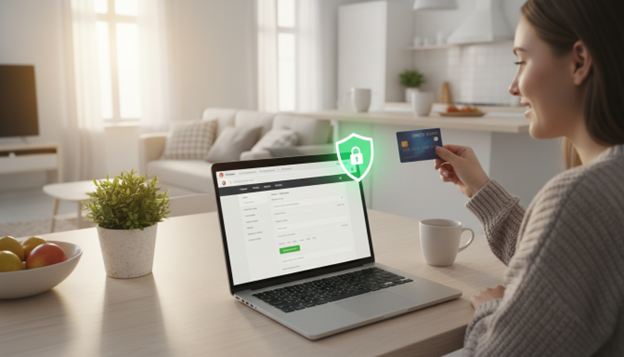
Here are practical, easy-to-follow tips to help you shop safely online and keep your 1st Community Credit Union accounts secure.
Why Online Shopping Safety Matters
Online shopping isn’t going anywhere. Unfortunately, neither are online scams. Cybercriminals create fake websites, send phishing emails, and try to trick people into sharing card numbers, passwords, and one-time codes. During major sales and holiday seasons, there are often spikes in fraudulent websites and phishing campaigns as criminals try to take advantage of the rush and “too good to be true” deals.
The good news? Most online fraud relies on someone clicking a bad link, using a weak password, or entering information on an unsafe site. That means you have more control than you might think. A few simple habits can dramatically reduce your risk of becoming a victim.
Tip #1: Shop Only on Secure, Trusted Websites
Before you type in your card number, pause and check where you are.
• Look for “https” and the padlock. The web address (URL) should start with https:// and show a small padlock icon in your browser’s address bar. This means your information is encrypted as it travels from your computer to the website’s server.
• Watch out for look-alike URLs. Scammers create spoofed websites that look almost identical to real ones, sometimes changing just one letter or adding extra words to the address. Always double-check the spelling and domain (for example, .com vs. .net). If you clicked a link from an email or ad, consider closing it and typing the store’s name directly into your browser instead.
• Stick with reputable retailers. Well-known brands and local businesses you recognize are generally safer than unfamiliar sites with little or no history. If you’re trying a new site, search for reviews, look them up on Google Maps, or check for a physical address and real contact information.
• Be cautious with “too good to be true” deals. If a price is unrealistically low or a site is pushing countdown timers and pressure tactics, that’s a red flag. Scammers rely on urgency to get you to act before you think.
1st Community Credit Union even highlights fake shopping site scams and encourages members to be skeptical of unrealistic offers and to verify website URLs before shopping. Your best move: slow down, check the site, and only buy from businesses you trust.
Tip #2: Use Strong Passwords and Turn On Two-Factor Authentication
Many online stores ask you to create an account so you can track orders or save your shipping info. That’s convenient – but it also means another username and password to protect.
• Create strong, unique passwords. Use long passwords or passphrases that combine upper- and lowercase letters, numbers, and symbols. Avoid anything easy to guess, like your pet’s name, “password123,” or reusing the same password across multiple websites.
• Use a password manager. Password managers generate and store complex passwords for you, so you don’t have to remember them all. That way, if one website is compromised, the damage doesn’t automatically spread to your other accounts.
• Turn on two-factor authentication (2FA) when available. Many retailers, email providers, and financial apps let you add a second step – like a code sent by text or generated in an app – when you log in. That extra layer makes it much harder for someone to get into your account, even if they somehow get your password.
And remember: never share your one-time codes with anyone. If someone calls, emails, or texts you asking for a verification code, hang up or ignore the message and contact the company directly using a trusted phone number or website.
Tip #3: Protect Your Devices and Connections
Online security isn’t just about the website – it’s also about the device and network you’re using.
• Keep your software up to date. Install updates for your phone, tablet, computer, browser, and security apps. Those updates often fix security vulnerabilities that hackers target.
• Avoid shopping on public Wi-Fi. Free Wi-Fi at coffee shops, airports, or hotels is convenient, but it’s often not secure. It’s safer to shop using your home Wi-Fi or your phone’s cellular data. If you must use public Wi-Fi, avoid entering any financial or personal information, or use a reputable Virtual Private Network (VPN) to encrypt your connection.
• Use security tools. Turn on built-in security features like firewalls and install trusted antivirus or anti-malware software. These tools can help block malicious downloads and suspicious activity.
1st Community Credit Union also encourages members to secure their devices and be cautious about where and how they access online banking and shopping sites. A secure device plus a secure connection equals a safer transaction.
Tip #4: Choose Safer Payment Methods
How you pay online matters just as much as where you shop.
• Use credit or debit cards with fraud protection. Many cards offer zero-liability protection for unauthorized charges, especially when you report them quickly. Check with 1st Community Credit Union to understand the protections that come with your debit and credit cards and how to report suspicious activity.
• Consider digital wallets. Services like Apple Pay®, Google Pay™, or other digital wallets use tokenization, which means your actual card number isn’t shared with the merchant. Instead, a one-time code is used for the transaction, reducing the risk if the retailer’s system is compromised. More on Digital Wallet.
• Avoid wire transfers, prepaid gift cards, or apps for unknown sellers. Scammers love payment methods that are hard to reverse. If a seller insists on being paid in gift cards, cryptocurrency, or a person-to-person payment app for a purchase, that’s a major red flag.
Whenever possible, use the payment options that give you the best protection and dispute rights. And never store your card details on websites you don’t fully trust.
Tip #5: Spot Phishing Emails, Texts, and Fake Messages
Many online shopping scams start before you ever open a browser. They arrive via email, text message, or even social media.
• Be skeptical of unexpected messages. If you get an email or text about a failed delivery, order confirmation you don’t recognize, or an “urgent” account problem, don’t click the link. Go directly to the company’s official website or app and check your account from there.
• Check the sender. Fake emails often come from addresses that look close to the real thing but aren’t quite right. The same goes for text messages with odd links or generic greetings like “Dear Customer.”
• Know what your credit union will (and won’t) ask. 1st Community Credit Union makes it clear they will never email you asking for your full account number, online banking password, PIN, or one-time access codes. If you get a message claiming to be from 1st CCU that asks for that kind of information, it’s a scam. Delete it and call the credit union directly using the number on their website or the back of your card.
If something feels off, trust your instincts. A few extra seconds of caution can save you hours of frustration later.
Tip #6: Monitor Your Accounts and Act Quickly
Even if you do everything right, it’s still important to keep an eye on your accounts. The faster you spot suspicious activity, the faster you can shut it down.
• Check your statements regularly. Log in to online or mobile banking to review recent transactions. Look for small “test” charges or unfamiliar purchases – scammers often start small before trying something bigger.
• Lock your card with Card Controls. If you spot a transaction you don’t recognize, you can use Card Controls in 1st Community Credit Union’s online or mobile banking to temporarily lock your card. Locking your card helps put the brakes on any new transactions until you can contact 1st CCU or Cardholder Services to research the charges.
• Set up alerts. Many financial institutions, including 1st Community Credit Union, offer account and card alerts by text or email. These can notify you when a purchase is made, when your balance drops below a certain amount, or when there’s a login from a new device. Those real-time alerts can help you catch fraud twice as fast as waiting for a monthly statement. Check out our How-To Video for customizing eAlerts.
• Report issues immediately. If you spot a suspicious transaction or think you entered your card information on a fake website, contact 1st CCU right away. If you notice suspicious or fraudulent charges after hours or on the weekend, you can call the Cardholder Services phone number on the back of your card for help with reporting and/or disputing those charges.
Don’t feel embarrassed if you think you’ve been scammed – it happens to smart, careful people every day. What matters most is how quickly you respond.
How 1st Community Credit Union Helps You Shop Securely
You don’t have to handle online safety alone. As your financial partner, 1st Community Credit Union provides tools and support to help you stay protected:
• Online and mobile banking. Easily monitor your accounts, review transactions, and move money securely from your phone or computer.
• Account and card alerts. Get notifications about purchases, low balances, or unusual activity so you can respond quickly if something doesn’t look right.
• Fraud monitoring and support. 1st CCU and their card processor keep an eye out for suspicious transactions and may contact you if something seems unusual. If you ever share information by mistake or suspect fraud, they encourage you to call right away so they can help protect your accounts.
• Educational resources. The credit union regularly shares tips on avoiding scams, recognizing fake shopping sites, and protecting your personal information.
When you combine safe online habits with the security features built into your 1st CCU accounts, you dramatically reduce your risk and shop with more confidence.
Bottom Line: Stay Smart, Stay Secure, Enjoy the Convenience
Online shopping should make life easier, not more stressful. By choosing trusted websites, protecting your passwords, using secure connections, watching for scams, locking your card when needed, and keeping a close eye on your accounts, you can enjoy the convenience without putting your money or identity at unnecessary risk.
If you have questions about a transaction, a suspicious message, or how to use 1st Community Credit Union’s digital tools to protect yourself, reach out to the 1st CCU team. They’re here to help you shop smarter and keep your financial information safe – season after season.
Simple steps like using secure websites and strong passwords can help keep your online shopping transactions safe.
Let’s face it—kids today are growing up in a digital world where the line between friend and fraudster isn’t always clear. From sketchy text messages to shady gaming links and fake social media ads, scams are everywhere. But the good news? You don’t have to be a cybersecurity expert to help your kids stay safe. You just need to start the conversation.

Start Early—and Keep Talking
It’s never too early to talk to your child about scams. Even young kids can understand the basics of being cautious online. You don’t need to make it scary—just part of regular conversations. Think of it like teaching them to look both ways before crossing the street. Online safety is just another life skill.
Use Real-Life Examples (Yes, Even That Weird Text You Just Got)
Next time you get one of those “Your package couldn’t be delivered” or "unpaid toll" texts or a suspicious email, don’t just delete it—use it as a teachable moment. Show your child what made it suspicious. Was it from an unknown number? Was the grammar off? Did it ask for personal information? Turning these into mini-lessons helps kids recognize the red flags. You can even use news stories to kick-start the conversation. The goal is to create a supportive, honest environment where kids feel comfortable asking questions. And remember that you as the parent or guardian need to be patient and persistent - repetition helps messages stick.
Teach the Classic Red Flags
Here are some scammy signs your child should be able to spot:
- Messages with urgent language like “Act now!” or “Your account will be locked!”
- Requests for personal info like passwords, home address, or age.
- Links or attachments from strangers—or even from friends if they seem out of character.
- Offers that seem too good to be true (“Free V-Bucks!” or “Win a new iPhone!”)
Encourage them to pause and ask: Does this make sense? Would this person really need that info from me?
Help Kids Build Their Critical Thinking Skills
The goal isn’t just to memorize rules—it’s to build the kind of judgment that makes kids stop and think before they click. Role-playing can help here. Try saying, “You just got a message from someone you don’t know offering a free game. What do you do?” Let them think it through and talk about their decision.
Create A Safe Online World For Them
Okay, we know that there is no 'safety' online. But you, as the parent, can help your child be safer by supervising young children when they are online, establishing parental controls, using privacy settings in social media and gaming accounts, and limiting their phone contacts and online friend lists to people they know personally.
About Gaming Safety
Scammers who target gamers like to exploit children's natural curiosity, trust, and love for online communities. Compound that with the fact that children often use their parents' credit cards for in-game purchases, and you start to understand why cybercriminals target gaming. Here are just a few tips for safer gaming habits include:
- Use strong, unique passwords for gaming accounts. Criminals have been known to use brute force hacking software to gain access to a gaming account. Strong unique passwords are ones that are long, complex, and unique to each account. They should be at least 16 characters long and include a mix of uppercase and lowercase letters, numbers, and symbols. They should not be easily guessable.
- Only play with people you know in real life, because strangers aren't always who they say they are.
- Avoid voice chat with unknown players, or keep it muted/monitored.
- Don't share personal info in games or profiles.
- Watch for scams disguised as an offer. Kids are often targeted with promises of cheat codes, rare items, free in-game rewards, etc.
- And again, encourage kids to talk to you if anything makes them uncomfortable or feels weird.
Beware the “Free” Trap
Remind your child that free isn’t always free. Free downloads and “trial offers” often come with hidden costs—like viruses, scams, or auto-renewing subscriptions. Teach them to check with you before downloading anything or clicking on ads promising free stuff.
Once It’s Out There, It’s Out There
One of the hardest internet lessons? The “delete” button isn’t magic. Once something is online—photos, personal info, even chat messages—it can be copied, shared, or screenshotted in seconds. Help your kids understand the importance of thinking before they share.
Keep the Lines of Communication Open
Let your child know that they can—and should—come to you if something feels off. No judgment, no trouble. The earlier they speak up, the better. And remind them: if something feels “off” in their gut, it probably is.
Reinforce Often: Never Share Personal Info
Make sure your child knows that no one online needs to know their:
- Full name
- Address
- School name
- Age or birthday
- Passwords
- Location
Help them create safe screen names that don't reveal age, location, or gender.
Even if someone seems friendly or says they are your child's age— teach your kids to be cautious. Scammers are really good at pretending.
Hears the bottom line: You don’t need to bubble-wrap your child’s digital life—you just need to prepare them for it. A few honest conversations, some shared examples, and ongoing check-ins can go a long way toward helping your kids become confident, scam-savvy digital citizens.
25 Tips from the 1st CCU Fraud Team.
What is the 1st CCU Fraud Team?
In 2024 1st CCU, like many other financials, noticed a rapid rise in fraud activity amongst members and local communities. To combat this we assembled a specialized team of experts from various departments across the organization. Their purpose - inform and educate the 1st CCU staff, members, and the local community on trending scams and how to better recognize potential fraud. Since the creation of the group, 1st CCU's Fraud Team has helped save members thousands of dollars and create a knowledgeable staff.
Here are 25 Tips to help avoid scams and fraud in 2025:
- Do not give your Online Banking login information to ANYONE!
- Scammers will pose as employers and ask for your Online Banking credentials.
- Nobody (including 1st CCU) needs to know your login.
- Be Cautious about unsolicited emails.
- Do not click on links from unsolicited emails you weren't expecting.
- Do not open attachments unless you are certain it is legitimate.
- Be cautious about unsolicited text messages.
- Do not click links unless you are certain it is legitimate.
- Look the number up on Google! Many times common scams can be identified with this.
- Keep updated firewall and virus software on your devices.
- Use complex passwords. Phrases and other non-identifying words make great passwords that are more secure than short words.
- Keep an eye on your accounts!
- Monitor your accounts consisently with Online Banking or Mobile App.
- Report suspicious activity right away.
- Use 1st CCU as a resource. If you are unsure about something contact us! Our staff is here to help.
- Use trusted sites when shopping online.
- Look for the Secure Lock Symbol.
- Don't click website links from a social media ad or an email. Go to your browser and navigate directly to the official website.
- Don't purchase items through Social Media sites.
- Scammers love creating Facebook ads with links to spoof sites.
- Always use our secure browser to go to a company's website directly, then verify that the deal you saw on social media is legitimate.
- Fraudsters typically want you to act quickly.
- Don't rush. Stop and think before sharing information or sending money.
- Fraudsters will threaten with police action or other penalties if you don't do what they ask.
- Stop and think. It's likely not something you would get in trouble for.
- Family and friends asking for money is a red flag.
- Scammers will claim to be a family member or friend in trouble.
- Hang up, and call that person directly.
- Someone asking to be paid in bitcoin or other non traditional payment is a red flag.
- Fraudsters typically want payment that is untraceable.
- Fraudsters may tell you a "gag order" is in effect.
- They don't want you talking to others to avoid suspicion of fraud.
- Don't fall for the scam that involves someone claiming to be a 'cryptocurrency teacher' or 'bitcoin professor'. These scammers convince you to wire funds for purchasing bitcoin or other cryptocurrency, then when you attempt to cash out your investment you discover that they won't let you withdraw your funds.
- Share information and help protect other family and friends that are vulnerable.
- If it's too good to be true, it probably is!
- Become knowledgeable about the latest scam and fraud tactics. Look for information posted to official government websites such as the Federal Trade Commission, Internet Crime Complaint Center, or the Federal Bureau of Investigation.
- Know the red flags of a Deepfake Scam. Deepfake scams are AI-generated, and it's incredibly difficult to know when a video or audio recording are AI. One red flag is the audio not matching the video. Look for unrealistic eyes, fingers, facial features, etc. AI-generated faces can lack symmetry and have inconsistent lighting.
- Consider having a secret phrase with your loved ones. This is a question or phrase you ask that only the family or friend would know the answer to. Establishing this could help you verify that someone claiming to be your friend is actually a scammer.
- DO NOT send money to someone you haven't met.
- This includes online dating.
- It also includes people on social media asking you to help with moving money from an account into your account, and then moving it back out to a different account.
- Use eAlerts to notify you of activity in your account.
- Opt for Debit and Credit Card controls, such as the ability to turn off your card when you aren't using it.
- Enable two-factor authentication or online purchases or online/mobile banking transactions, when available.
- If you are being threatened, report everything to the police. Scammers will say anything to convince you to act quickly. They may claim to be the cartel or the mob. Scammers have been known to email pictures of graphic violence to threaten consumers, or they will tell you that they know where you live and they are coming to get you. Hang up and report it.
By staying alert and knowing the red flags to look for, you can significantly reduce the chances of falling victim to scams and fraud. It's also important to utilize robust services on your accounts and protections on your devices. Follow the ABC's...Always. Be. Cautious with your personal and financial details.
At 1st Community Credit Union (1st CCU), your financial security is our top priority. With online shopping becoming increasingly popular, it’s essential to stay vigilant against potential scams and fraudulent activity. Whether you're snagging holiday deals or making everyday purchases, follow these tips to ensure your transactions remain safe and secure.

Guard Your Personal Information
Never give out sensitive information like your social security number, account numbers, or online banking credentials. Scammers often pose as legitimate companies or even your financial institution to steal your details. Here are some key reminders:
- Ignore suspicious messages. If you receive a call, text, or email requesting your login information or personal data, don’t respond. 1st CCU will never ask for sensitive information this way.
- Beware of impersonators. Fraudsters might claim to represent 1st CCU or another trusted entity. Always contact us directly to verify.
- Protect your passwords. Use unique, strong passwords for your accounts, and never share them with anyone—even people you trust.
If you suspect your personal information has been compromised, contact us immediately. Our Fraud Prevention Help Center is here to assist you.
Monitor Your Accounts Regularly
Stay one step ahead of fraudsters by keeping an eye on your account activity. At 1st CCU, we offer tools to make this easier:
- Online and Mobile Banking. Use our 1st CCU Anywhere platform to review transactions, set up eAlerts, and manage your accounts securely.
- Credit Card Management. Track purchases and report discrepancies through our online tools.
- P.A.T.T. Telephone Banking. Get account updates anytime with this free member resource.
It’s your responsibility to monitor accounts daily, weekly, or monthly. If you notice anything suspicious, reach out to us right away to prevent further issues.
Take Advantage of Card Protection Features
Your debit and credit cards are powerful tools—but they’re also common targets for fraud. Fortunately, 1st CCU offers several features to help protect them:
- Lock your card. Misplaced your card or suspect it’s been compromised? Use 1st CCU Anywhere to lock your card instantly.
- Report lost or stolen cards. Call us during business hours at 608-269-8121 or toll-free at 1-888-706-1228. Outside business hours, dial 1-800-449-7728 to report the issue.
- Instant replacement. Need a new debit card? We can print one for you within minutes, so you don’t have to wait weeks for a replacement.
By acting quickly, you can minimize risks and protect your finances.
Shop Only on Secure Websites
When shopping online, prioritize security over convenience. Look for the following:
- HTTPS in the URL. Websites with "https://" in their address and a padlock icon are generally secure.
- Trusted retailers. Stick to well-known brands or stores with positive reviews. If a deal seems too good to be true, it probably is.
- Avoid public Wi-Fi. Never enter personal or financial information while connected to unsecured networks.
When in doubt, err on the side of caution. It’s better to miss a sale than to fall victim to a scam.
Stay Wary of Phishing Scams
Phishing is one of the most common tactics scammers use to steal your information. They may send emails or texts that appear to come from a legitimate source, like 1st CCU. Remember:
- Never click suspicious links. Instead, navigate directly to the company's official website.
- Verify email addresses. Scammers often use fake but convincing email addresses. Be cautious if the sender’s address seems unusual.
- Don’t trust unsolicited job offers or “romance” scams. Scammers prey on emotions to gain access to your money or accounts.
If you suspect a phishing attempt, bring the email or correspondence to 1st CCU for verification.
Protect Your Devices
Your devices play a crucial role in keeping your online activity secure. Here’s how to strengthen their defenses:
- Use antivirus software. Install reputable programs to shield your devices from malware.
- Enable two-factor authentication. Add an extra layer of security to your accounts by requiring a verification code.
- Keep software up-to-date. Outdated systems are vulnerable to attacks. Regular updates protect you from known security threats.
Taking these precautions ensures your device is ready to handle secure transactions.
Dispose of Sensitive Documents Properly
Fraud prevention doesn’t end online. Physical documents containing financial or personal information can also be a goldmine for thieves. Always shred documents like bank statements, bills, or pre-approved credit card offers before discarding them.
What to Do If You Suspect Fraud
Despite your best efforts, fraud can still happen. If you suspect your accounts have been compromised:
- Lock your card immediately. Use the 1st CCU Anywhere app or call us directly.
- Report suspicious activity. Notify 1st CCU of any unauthorized transactions or attempts to access your account.
- Update your passwords. Change your login credentials to prevent further breaches.
Your Partner in Security
At 1st Community Credit Union, we’re committed to helping you protect your financial well-being. By staying informed and proactive, you can shop online with confidence and avoid falling victim to scams.
For more tips and assistance, visit our Fraud Prevention Help Center or call us at 608-269-8121. Together, we can create a safe and secure banking experience.
Let’s make online shopping safe, smart, and stress-free!
In our increasingly digital world, the convenience of online and phone banking is matched by the growing sophistication of scammers. At 1st Community Credit Union, your financial security is our top priority. Understanding how to recognize phone and email scams is essential in safeguarding your personal information and finances. Here’s a comprehensive guide to help you stay vigilant.

Identifying Phone Scams
Phone scams can take many forms, but they often share common tactics designed to elicit an emotional response or create a sense of urgency. Here are some key signs to watch for:
- Unsolicited Calls: If you receive a call from someone claiming to be from a financial institution or government agency asking for personal information, be cautious. Legitimate organizations typically do not request sensitive information via unsolicited calls.
- Pressure Tactics: Scammers often create a sense of urgency, threatening severe consequences if you don’t act immediately. They may claim your account has been compromised or that you owe money and must pay immediately.
- Request for Personal Information: Be wary if the caller asks for personal details like your Social Security number, account numbers, or passwords. Genuine institutions will never request such information over the phone.
- Caller ID Spoofing: Scammers can manipulate caller ID to make it appear as though the call is coming from a trusted source. If something feels off, hang up and call the organization directly using a number from their official website.
Spotting Email Scams
Email scams, or phishing, are another common method scammers use to steal personal information. Here’s how to identify them:
- Suspicious Sender Addresses: Check the sender’s email address carefully. Often, scam emails come from addresses that are slightly misspelled or contain extra characters.
- Urgent or Threatening Language: Similar to phone scams, phishing emails often try to create a sense of urgency. They may claim there’s a problem with your account or a deadline for a special offer.
- Poor Grammar and Spelling: Many scam emails contain noticeable grammatical errors and spelling mistakes. While not always the case, poorly written emails can be a red flag.
- Unsolicited Attachments or Links: Avoid clicking on links or downloading attachments from unknown or suspicious emails. These could contain malware designed to steal your personal information.
Protecting Yourself
• Verify Before You Trust: Always verify the authenticity of the communication by contacting the organization directly through official channels.
• Stay Informed: Keep up-to-date with the latest scam techniques. Knowledge is your first line of defense.
• Report Suspicious Activity: If you suspect you’ve encountered a scam, report it to the appropriate authorities and notify your bank immediately.
At 1st Community Credit Union, we are committed to your security. By staying vigilant and informed, you can protect yourself from phone and email scams. For more tips and resources, visit our website or contact us directly. Stay safe and secure!
Identity theft occurs when someone uses your personal data to commit fraudulent acts. This can include your name, birthday, and other important pieces of information like your social security number. It is done most of the time to steal money or purchase expensive items.
Nowadays, even the information of teenagers and college students can be used to commit fraud of any kind. Such a matter can be tricky to navigate as a young adult, but there are ways to educate younger generations to prevent these crimes and protect their identify. We have listed a couple of tips to help youngsters avoid having their personal information stolen.
Be Alert to Phishing and Spoofing
Phishing and Spoofing are two of the most common ways information can be taken unknowingly from an individual. Some scammers are known for making calls seem like they are from big companies when in fact, they’re only trying to get your important details.
With that being the case, it’s best not to answer calls from unknown numbers. In addition, be wary of emails from unknown addresses as they may contain malware that can harm your computer. Never download attachments from someone who sends them unexpectedly.
Try Enabling Two-Factor Authentication on Your Devices
Stolen passwords account for 81% of fraudulent hacks. To better secure your personal data, enable two-factor authentication on your social accounts and emails. This can add an additional layer of protection to your information.
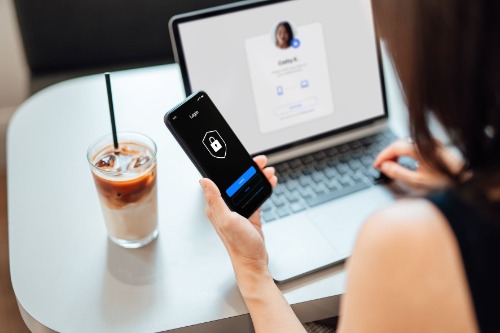
Two-factor authentication works by having multiple identifiers to access an account. It can be a combination of a password, biometric signature like a fingerprint, and possession such as a phone or tablet. Even if your device is stolen, the thief will have trouble trying to access your information.
Install Antivirus Software on Your Devices
Nowadays, most of our information is kept on electronic devices like phones, computers, and laptops. As a result, it can be difficult to deal with if one of your devices get compromised. A good way to protect your devices and your identity is by downloading antivirus software on them.
Hackers may use malware that contains viruses, spyware, and other unwanted software. Having antivirus software on your device can keep them from harming your hardware and, by extension, your information.
Clear Out the Data on Your Electronics
If you’re upgrading electronics and giving away your old ones, make sure to clear out all of the data on the used hardware, as they can be restored with a data recovery program.
Luckily, there are programs that can help you wipe your used devices with just a few clicks. If you want to save the information left, there are also applications that can transfer your data to a new device.
One recommendation to avoid having data stolen off your phone at any time is to encrypt your phone. In this scenario, any data left on your phone will be scrambled and therefore safe, even if you lose your phone unexpectedly.
Let Us Provide You Efficient Security Against Identity Theft
If you want to protect your account against potentially fraudulent activity, 1st Community Credit Union can equip you with fraud-fighting tools. We take pride in serving our members in the best way we know. Get in touch with us today!
The Benefits of Using Two-Factor Authentication When Banking Online
In today’s world of being able to accomplish most of your tasks virtually, it is important to have two-factor authentication as part of your mobile banking experience. Its main benefits are added security levels and minimizing the risk of consumer identity theft.
Whether your credit cards or personal savings accounts are linked to your mobile app, two-factor authentication decreases the chance of a security breach. Here are more benefits of using two-factor authentication when banking online.
Prevent Fraud
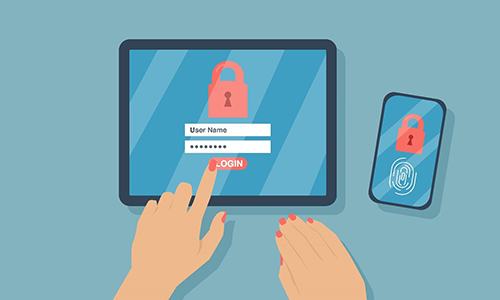
Two-factor authentication, or 2FA, makes it more difficult for hackers to get information from your online banking portal. Someone seeking access to a 2FA-protected account will encounter more obstacles if they are trying to access your account.
A good example of fraud protection is SMS-based two-factor authentication. The hacker will need two means of identification to access your bank: your account password and your mobile phone.
Nowadays, solving simple password combinations and gaining access to sensitive data has become obsolete. This is because having two or more verification steps stops them from gaining access through your password alone.
Using 2FA can further safeguard your accounts against unsolicited access to personal and corporate data. It reduces the risk of cyber breaches from anyone who gets a hold of your primary credentials.
Enhance Logins
Two-factor authentication involves the use of a one-time password, or OTP. This is a string of letters, numbers, or characters delivered once to a user for a single login attempt. OTPs lower the risk of hackers getting into your account by sending time-sensitive, unique, and random code to your phone through a text, call, or an app.
2FA is a more personalized approach to access your online information by involving your other online accounts and devices. Utilizing these personal resources can inevitably add a layer of protection to your account. Using 2FA to have an amplified login system is the best way to maintain strong security standards when opening your mobile bank app.
Reduce IT Calls
Nowadays, the most common support issue is a forgotten password. Without a 2FA solution in place, the only way to retrieve it is by contacting your bank’s helpdesk.
Having your issue resolved by technical service providers can take a long time, and this can be prevented by using a 2FA system. Two-factor authentication simply sends a code to your verified device in order to change your password. This results in a quick, cost-effective, and secure solution to your problem.
Access Monitoring Is Allowed
Two-factor authentication often involves access monitoring for many devices. You can also limit which devices or networks have entry to your banking accounts.
If someone else tries to access your account, you will be warned in real time so you may prevent cyber breaches. Two-factor authentication is the most convenient and the quickest way to ensure that your personal data is safeguarded.
Learn More About Two-Factor Authentication
For questions about two-factor authentication, mobile banking protection, or automated fraud alerts, call 1st Community Credit Union in Wisconsin! Our representative will be happy to answer your questions about online banking.
Identity theft is a persistent problem and, unfortunately, cybercriminals show no signs of letting up. Statistically speaking, identity theft affects approximately 1 in 20 Americans every year. In 2019, 13 million U.S. consumers suffered identity fraud.
It’s important to be vigilant because the sooner identity theft is detected, the less damage ID thieves can do. The following list includes warning signs you may be a victim of identity theft or financial fraud.
Unusual Withdrawals from Bank Accounts
Anytime you see an unusual withdrawal from any of your bank accounts you or a joint account holder didn’t make, this is a huge red flag. While a bank may make the occasional (very rare) error, chances are better a thief is pilfering your account.
Credit Standing Takes a Plunge
If you’ve maintained good credit and it takes a sudden plunge, consider this to be a warning sign. Once a thief gets a hold of your personal information, they can then open credit accounts in your name and go on a spending spree without paying the bill. If you check your credit report and find unfamiliar accounts or charges, this is a clear sign your identity has been compromised. Gone unchecked, within a few months, you’ll most likely find debt collectors begin to call you about debts you don’t recognize.
Small Charges on Your Credit Card
Any small and unusual credit card charge should be viewed with suspicion. Identity thieves will often test the proverbial waters by making very small charges with your credit card to see if it’s detected. If they sense a green light, they’ll then go for the gusto and start making large purchases, often maxing credit limits out.
Bills and Other Mail Go Missing
If regularly scheduled mail stops arriving, this could mean someone has stolen your identity. What thieves often do is steal their victim’s mail and then change the mailing address to be rerouted to them. Once they do this, they begin to collect other key pieces of your personal information to gain the information necessary to open new accounts in your name. Alternatively, if you start to receive strange bills, this is also a red flag.
Problems with Medical Providers and Health Plans
If you begin to receive bills for medical services you didn’t seek, this is another warning sign. It means there is a possibility someone used your identity information when they sought treatment. Additionally, if your health insurance plan starts to reject your legitimate medical claims this should be addressed ASAP. This is especially true if claims are rejected because your medical records show a condition you don’t have or your benefits have been maxed out, it could signal someone has been using your health insurance for their own purposes.
IRS Says You Already Filed
If you file your annual tax return and the IRS notifies you one has already been filed in your name and SSN, this is a key indicator someone is using your identity information to get a refund. Additionally, if they say you have income from an employer you never worked for, this is another red flag and should be investigated immediately.
Identity theft is an ongoing issue we all face. For financial advice and to learn more about how to protect yourself and your accounts from cybercriminals, give the team at 1st Community Credit Union a call at 888-706-1228.